
Understanding the market for fake iPhones
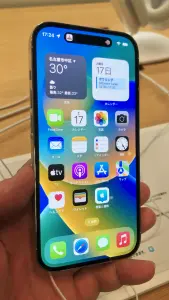
Counterfeit iPhones are sophisticated copies designed to mimic the aesthetics of genuine Apple hardware. These devices use low-grade internal components, such as recycled batteries and subpar displays, hidden behind a replica chassis. Think of it like a car with a luxury body kit but an engine that lacks the power and safety features of the original model.
These devices often run a modified version of Android designed to look like iOS. While the icons might look familiar at a glance, the lack of Apple’s proprietary ecosystem means you lose access to iMessage, iCloud, and secure software updates. You are essentially paying for a broken shell that lacks the fundamental functionality of a real iPhone.
The hidden risks beyond the hardware
Buying a fake iPhone isn’t just about losing money. It introduces significant security vulnerabilities into your digital life. These handsets are often pre-installed with malware or spyware at the firmware level. This software sits silently in the background, harvesting your bank credentials, photos, and personal messages.
Hardware safety is another critical concern. Authentic devices undergo rigorous thermal testing and battery certification. Counterfeit units often bypass these standards, using unregulated lithium-ion batteries. These pose a legitimate risk of overheating or catching fire during the charging process. If your hardware is counterfeit, you have zero recourse for repairs or safety support from Apple.
How to identify a fake before you pay
Distinguishing a fake from a real unit requires technical scrutiny rather than just a quick look. Most counterfeits rely on deception to get you to lower your guard before you notice the flaws.
- Verify the serial number: Always request the serial number or IMEI before you finalize the transaction. Input this code into the official Apple ‘Check Coverage’ portal. If the site returns an ‘Invalid’ or ‘Not Found’ message, walk away immediately.
- Inspect the operating system: Reboot the device and look for the boot screen. Fake units often display a low-resolution logo or lag significantly during startup. Navigate to Settings and attempt to access the App Store. A fake unit will typically redirect you to the Google Play Store or a suspicious third-party APK installer.
- Analyze physical build quality: Genuine iPhones have perfectly aligned screws and buttons. If you notice loose ports, grainy display resolutions, or buttons that feel ‘mushy’ when pressed, you are likely holding a clone.
- Assess price point traps: If a price looks too good to be true, it is. Scammers use heavy discounts to trigger your impulse to buy. Market prices for iPhones are stable; a 50% discount on a current model is an instant red flag.
Avoiding common traps in online marketplaces
Online marketplaces are hotspots for fraudulent sellers who use stock photos of genuine products to bait buyers. Never trust a listing that uses generic photos taken from the internet rather than real-time photos of the specific device.
When buying used, insist on a secure payment method that offers buyer protection. If a seller demands payment via wire transfer, cryptocurrency, or peer-to-peer gift cards, they are trying to strip you of your ability to claw back funds. These payment methods act like handing over cash in an alleyway; once the transaction is complete, the money is gone.
Field advice: The tell-tale signs of a scam site
Scam websites often replicate the branding of major retailers, but they fail on the technical details. Check the URL for subtle misspellings, such as ‘AppIe’ with an uppercase ‘i’ instead of an ‘L’. Examine the contact page; if the email address uses a free provider like Gmail instead of a corporate domain, treat the site as compromised.
Classic error to avoid: Many buyers assume that ‘sealed in the box’ means the product is authentic. Professional counterfeiters now sell shrink-wrapped boxes that look identical to retail packaging. Never use the quality of the box as your primary indicator of authenticity.
Your best defense is maintaining a healthy skepticism. If you are not purchasing from an Apple Store, an Authorized Reseller, or a verified network carrier, you are assuming a high level of risk. Always prioritize the seller’s reputation over the potential for a bargain.