
Why Gmail accounts are a prime target
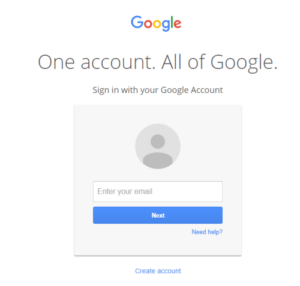
A Gmail account is rarely just an email address. It often unlocks Google Drive, Google Photos, YouTube, the Android phone, saved passwords, and the password reset of almost every other account you have. Whoever takes it can read your mail, reset your bank or social media passwords, and write to all your contacts in your name. That is why phishing aimed at Gmail users never stops.
First published in 2017, updated November 2026.
The tricks seen most often
- Fake security alerts. “Someone has your password”, “Your storage is full”, “Your account will be deleted”. The link leads to a copy of the Google login page.
- Fake shared documents. “X has shared a document with you” with a button leading to a fake login page. In May 2017, a large wave went further: the button led to a real Google page asking you to give an app called “Google Docs” access to your account. The app was fake; anyone who accepted gave it access to their mail and contacts, and it spread itself to them.
- Code theft. Someone contacts you, sometimes from a friend’s hacked account, and asks you to forward a code Google just sent you “by mistake”. That code lets them take over your account or your phone number.
- Fake Google support. There is no Google phone line that calls you about your account. A caller claiming to be from Google is a scammer.
Five ways to protect your account
- Run Google’s Security Checkup. It lists connected devices, third-party apps with access to your account, and recovery options. Remove anything you do not recognise.
- Switch to a passkey or at least two-step verification. A passkey only works on the real Google site, so a fake page cannot steal it.
- Check the address before typing your password. The real login page is on accounts.google.com. If your password manager does not offer to fill it in, be suspicious.
- Read what an app asks for. When a page asks you to allow an app to “read, compose and send emails” or “see your contacts”, stop unless you started this yourself.
- Never give a code to anyone. Google codes are for you to type, not to read out.
People at higher risk (journalists, activists, people in public roles) can join Google’s Advanced Protection Program, which adds stricter checks.
If your account has been taken
Use Google’s account recovery from a device you have used before, then change your password, remove unknown devices and apps, and check that the recovery phone and email are yours. Warn your contacts, since they may receive messages in your name. Our page on mailbox hacking gives the full steps, and our phishing section explains how fake login pages work. Built-in Chrome protections are covered in our article on Google Password Alert and what replaced it.
Sources
- Google, Security Checkup and Advanced Protection Program.
- Gmail Help, Report spam or phishing in Gmail.






i suspect this as a scammer..he is using the name of Jake Norman, met him in smule and we have been communicating in hang-out until now
Noemt zichzelf Aaron Abbott zolang hij in t leger zit maar zodra hij eruit komt neemt hij de naam Robert de ligt aan, de naam van zijn moeder
see below
Hi, I got a friend request on facebook from a Lucas Ferguson, 58, pretending working on an oil rig in Alaska and having a daughter on boarding school in London. He insisted changing conversation on Google Hangout and after erased his fb-profile. After a while of love-blabla and planning to live together (he said to get retired soon and will get a 1.2 Million paycheck), his “daughter” Rose started corresponding with me on gmail, mentioning an important project at school and that she needs a computer of her own. At the day of the project, she wrote again, claiming on having the money immediately.
Mai adresses used are: lucasferguson461@gmail.com abd roselucasferguson1@gmail.com
They used various photos, which I will send you separately. They must be psychologically trained, but not too clever, because the story told show various logical mistakes. Faced with this faults and accused of scamming, he reacted disappointed an then made a video-call on hangout, where his face can’t be recognized (big pixels). The voice was of a younger african man, with a dog and birds and people talking in the background. After telling him, that I have no money, the call disconnected. That’s it. There must be various people involved. I found the pics are often used in the net on various plattforms, recently on instagram as Gordon Stevenson.
Thanks for publishing!
Ese tipo es un abogado y político en Brasil, efectivamente esa es su hija se llama Raquel